Meet ATLAS.ti MCP, your new research collaborator
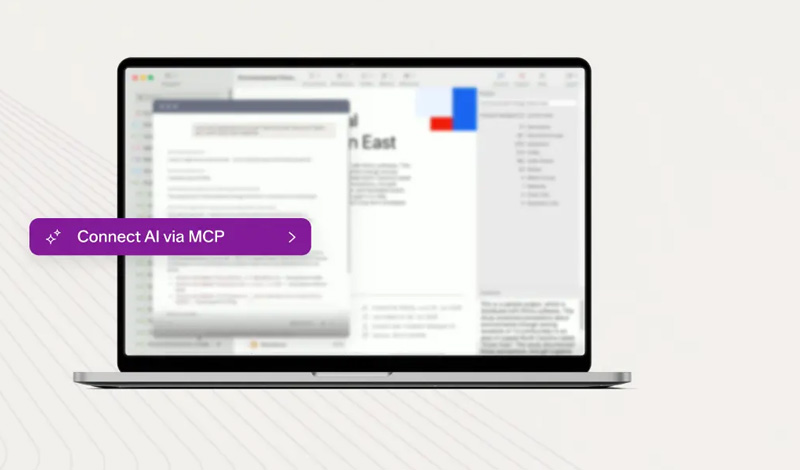
Elevate your qualitative analysis with the ATLAS.ti 26.1 release. This update introduces the ATLAS.ti MCP Server, giving researchers the freedom to connect the AI models they already use directly to their projects.



🚀 New in ATLAS.ti Desktop
Connect the AI that matches your needs with the new MCP Server
AI-assisted research has always meant a trade-off: paste your data into a chat window and lose the structure of your project, or stay locked into whichever AI a vendor happens to have built in. The ATLAS.ti MCP Server removes that trade-off. Using the open Model Context Protocol standard, it lets any compatible AI client connect directly to your ATLAS.ti project — reading and, with your permission, writing back to your work.
Whether you're picking up a project after a break or diving into a fresh analysis, the MCP Server empowers you to:
🔌 Any MCP-Compatible Client - Connect Claude Desktop, Claude Code, a local AI app like LM Studio, or your institution's approved AI tool.
✍️ Full Read/Write Access - Use AI to import and organize project materials, create and rename codes, generate memos linked to supporting quotations, and save approved updates directly to your ATLAS.ti project—instead of leaving them behind in a chat.
🔎 Deeper Querying - Ask questions that span your entire coded dataset, like comparing themes across demographic groups, using the entire context of your research project.
📊 AI-Generated Outputs – Create reports, presentations, visualizations, and other outputs grounded in the evidence and structure of your ATLAS.ti project.
The MCP Server complements the built-in AI features you already rely on in ATLAS.ti — it doesn't replace them.
See your whole project, not just your documents
Paste a transcript into a general AI chat, and it sees only text — not your codes, your groups, the relationships you've drawn, or what you've written in your memos. That analytical scaffolding, often representing months of work, stays invisible. The MCP Server gives connected AI access to the full picture, so it can analyze your project data the way you do.
With full project context, the MCP Server empowers you to:
🧭 Instant Orientation - Get a plain-language overview of a project's documents, code system, and memos in seconds, even ones you didn't build yourself.
🧹 Codebook Cleanup - Ask the AI to identify near-duplicate codes across a large codebook and propose or conduct merges with rationale, depending on your preferences.
📁 Automatic Organization - Have the AI read demographic or thematic details buried in your documents and sort them into groups automatically.
💡 Methodological Continuity - Get methodological suggestions or let it conduct analyses for you, grounded in the analytical decisions you've already made.
New to ATLAS.ti? With AI as your guide, you can access ATLAS.ti's capabilities through natural language prompts without needing to learn every feature or workflow first.
Take control of your data with local-first design
For research teams working with sensitive data, governance isn't a preference — it's a requirement. The ATLAS.ti MCP Server is built so the connection between your project and your AI client runs entirely on your own machine, never through Lumivero's servers.
With local-first design, you get:
🖥️ Local by Default - The MCP connection stays on your computer, regardless of which AI client you choose.
🔐 Zero Data Exposure with Local Models - Connect a locally hosted model through apps like LM Studio, and nothing leaves your system at any point.
☁️ Cloud AI, Your Terms - Connect a cloud-based client like Claude Desktop, and your data is governed by your own agreement with that provider — Lumivero is never in the exchange.
💾 Seamless Project Storage - Keep your analyses saved in your local ATLAS.ti project, regardless of whether you change or discontinue your use of AI.
🏛️ Built for Institutional Requirements - Fit the compliance needs of Ethics Review Boards, HIPAA- or GDPR-bound research, and data sovereignty requirements.
Get started in minutes
Getting AI connected to your research shouldn't require an expensive and complicated procurement process. The MCP Server is included with every active ATLAS.ti Desktop subscription, ready to connect to the AI client of your choice.
Getting started, you'll find:
⚡ Fast Setup - Most researchers are up and running in about 10 minutes with Claude Desktop, the recommended starting client.
💰 No Added Cost - The MCP Server is included in all active ATLAS.ti Desktop subscriptions — bring your own AI client separately.
📚 Guided Onboarding - Step-by-step setup guides and onboarding videos are available in the ATLAS.ti knowledge base.
🧩 Growing Compatibility - Because MCP is an open standard, the ecosystem of compatible AI clients is expected to keep expanding.